
Quoted after evaluation
Example bands are the first two of three versions, before the 15 % safety margin. Your exact price comes from a free evaluation.
Shopify keeps the money. You own the rest.
Shopify is very good at the parts that move money: the checkout, the payments and the stock count. We leave those where they are. Everything around them is yours: the pages, the words, the pictures and the connections to the tools you already run. The words live in a CMS (the editor where you change text and images without touching code).
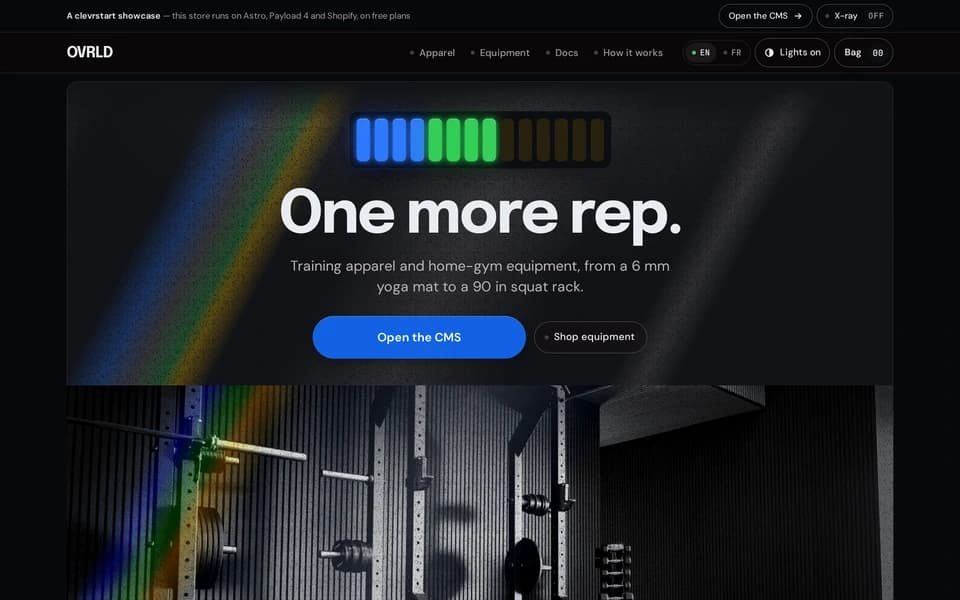
You can count the split yourself. On our demo store's hoodie page, the X-ray switch labels 26 fields on 2026-10-30: 9 come from Payload, our CMS, 14 come from Shopify, and 3 are store code. The demo is the only store on this stack so far, so these are its numbers, not a client's. Flip the switch on the demo store and check each label. The storefront reads products and prices through Shopify's Storefront API, the door Shopify documents for stores that draw their own pages. The demos page shows our other working apps.

Who owns which field
| Field | Owned by | Where you change it |
|---|---|---|
| Product titles, prices in CAD, variants and stock | Shopify | Shopify admin |
| Cart and checkout | Shopify | Shopify admin |
| Headings, story text, images, menus and footer | Payload | The CMS, with a live preview |
| Page addresses and how pages are built | Store code | We change it in your code repository |
What we build
What an ecommerce development company builds for you
- Your storefront. The pages your customers see, built for your products, not a theme other stores also use.
- Your content and its editor. You change words and images in the CMS and see the draft in the store before you publish.
- Integrations with the tools you already run. Your store talks to the software your business uses instead of one more monthly app for each need.
- A rebuild when stock or words change. The store updates itself when Shopify reports a change or when you publish.
- Accounts and code in your name. From day one, as on every clevrstart project. How we work lists those terms.
- Training to run it. You learn to manage products and texts yourself.

When stock changes, the store follows
A webhook is an automatic message Shopify sends when something changes, such as a stock count. On 2026-10-28 we changed a kettlebell's stock from 20 to 21 and back to 20 through Shopify. The demo logged 4 webhook calls within about 5 seconds, each one asked for a rebuild, and the live store showed the change. Shopify's developer documentation describes these messages and the topics a store can subscribe to. That is one test, not a benchmark, and no client store runs on this stack yet.

What it costs to run, and what we do not cover
The demo runs on free plans: Cloudflare for the storefront, Google Cloud Run for the CMS with a $1 CAD budget alert, a free Neon database and a free Shopify development store. It has taken no real payment. A live store pays for its own Shopify plan, its payment fees and its hosting.
You pay those at the source, in your own accounts, with no markup from us. That is our model, and the reason we build it this way: to scale, you need control over what you pay for.
The project does not cover product photos, writing product descriptions, Shopify and payment fees, or ads. How pricing works explains how we set the price of the build itself, and hosting and your data shows where each project's data is stored.
How a project runs

01
Free evaluation
We look at your store and the tools it must connect to. Bring your store address, the apps you pay for each month, the software it must talk to and a rough product count.

02
Fixed price in writing
You get the price and the date before you pay anything.

03
Build in your accounts
Half to start, and everything is built in your name.
04
Launch
Half on delivery, with training to run the store.
The production checklist
Seven things, true on every project. Anything not on this list is a paid option in the quote.
01
Tests and CI
Automated tests and continuous integration on every change.
02
Preview and rollback
A preview deploy before anything goes live, and one-click rollback.
03
Backups
Data backups and data rollback.
04
Access
Rate limiting, permissions and flexible sign-in.
05
Tracing
Each request followed end to end.
06
Compliance
The rules of the zone where your data must live.
07
The manual
An instruction manual with every app, as a PDF and a docs page.
After delivery
| After delivery | In writing | When |
|---|---|---|
| Fixes | Free after delivery | 30 days |
| Then | Changes billed by the hour at the published rate, no retainer | hourly |
| Manual | A PDF and a docs page | every app |
| Accounts | Opened in your name | day one |
| Code | Transferred to you | final payment |
Hosting, domain, repository and third-party accounts are opened in your name from day one. Where your data lives is written down for your project, not assumed. Hosting and your data →
Questions owners ask
Explore your data, build your dashboard, bring your team together.
01Do I have to leave Shopify?
02Do my apps still work?
03Who owns the code?
04What does it cost each month?
05How long does a build take?
Start
See the store, then get the price in writing.
Book a free evaluation and we will tell you, in writing, what your store needs and what it costs.

More on the topic